owl

Background Image - Ladybug

Follow Me Frame

Follow Me Frame

More to see

More to see

Translation Button

Welcome ladybug

Welcome ladybug

Thanks for stopping by

Thanks for stopping by. Hope you enjoy your stay!

I've noticed that I have visitors from all over the world. To make your stay more enjoyable, I have added a "translator" for you.


Showing posts with label Cricut. Show all posts

Monday, June 1, 2015

Latest Cricut Cartridge CheckList

Hiya!

W/ the addition of new cartridges, I have updated my Cricut Cartridge CheckList.

Here it is:

https://www.mediafire.com/?p6dhet3ft47f2fb

You can find the latest ones under the tab:-  "Universal Overlay Cartridges".  :-)

Enjoy!! :-)


Thursday, May 14, 2015

Latest Cricut Cartridge CheckList

Hiya!  Well, Cricut released a whole slew of new cartridges, so I've updated my list:-


You can find the updated list here:-


Enjoy!!! :-)


Saturday, March 7, 2015

Latest Cricut Cartridge CheckList

Hiya!

There's a new cartridge added (Spring Fling) to my Cricut Cartridge CheckList, and it can be found in the "Universal Overlay Cartridges" tab.


So, if you're up to date w/ adding your cartridges, you just need to print off that one tab.  Enjoy!  :-)


Sunday, March 1, 2015

Latest Cricut Cartridge CheckList

Hiya.  Here's my latest Cricut Cartridge Checklist:-


For those of you who aren't familiar w/ my CheckList, here's a pic of it:


I created this Cricut Cartridge CheckList to help you keep track of the cartridges you have. I have also included areas whereby you can keep track of which ones you have registered and/or entered into the Reward Program. I also have other columns that pertain to things I was keeping track of w/ my Gypsy and my IPod, which I'd like to keep on there, for those who were also previously utilizing it.   

The “Linked” column pertains to the Cricut Craftroom or Cricut Design Space, for those that have an Explore. 
 (before, it was for the Gypsy)

I have a separate category (worksheet) entitled "Universal Overlay Cartridges", which are strictly for the newer smaller size cartridges.

Please note:- This CheckList does not include “digital” cartridges/images. Only physical cartridges are included on this List. 

My CheckList consists of 7 different tabs in the Excel Spreadsheet (Workbook):-

• Cricut Cartridges
• Cricut Fonts 
• Cricut Events
• Cricut Imagine
• Cricut Lite 
• Cricut Projects
• Universal Overlay Cartridges

After you download the CheckList, you can choose to print each sheet or just individual ones. 
 

All of the cartridges have “links” to their shopping page on the Cricut website. This means, if you click on a cartridge name, on the List, it will automatically take you to the Cricut.com page that the cartridge is on, whereby you will find more details about the cartridge(s).

If you happen to notice any cartridges that are missing from my CheckList(s), please do not hesitate to contact me. Thanks! 
 
And, enjoy!!!!  


Thursday, December 4, 2014

Latest Cricut Cartridge CheckList

Hiya!

W/ the release of new carts, I've updated my Cartridge CheckList.

Enjoy!!  J


Saturday, November 8, 2014

Updated Cricut Cartridge CheckList

PC added a new cartridge, Family Album, to their repertoire.  Here's the latest CheckList:-


Saturday, November 1, 2014

Latest Cricut Cartridge CheckList

Firstly, for my “regulars”, I am so very sorry that it took me so long to update my Cricut Cartridge CheckList.  Life totally got in the way for me and this entire year has been complete turmoil. If it wasn’t one thing, it was another.  Health issues were a major stumbling block. [sad] Things are slowly getting back to normal so I decided to concentrate on doing the update. [biggrin]

For those “newbies” to the Cricut world.  I created a Cricut Cartridge CheckList to help you keep track of the cartridges you have.  I have also included areas whereby you can keep track of which ones you have registered and/or entered into the Reward Program.  I also have other columns that pertain to things I was keeping track of w/ my Gypsy and my IPod, which I'd like to keep on there, for those who were previously utilizing it. [smile]

I have since changed the “Linked” column to pertain to the Cricut Craftroom or Cricut Design Space, for those that have an Explore. [biggrin]  (before, it was for the Gypsy)

I have also added a separate category (worksheet) entitled "Universal Overlay Cartridges".

Please note:-  This CheckList does not include “digital” cartridges/images.  Only physical cartridges are included on this List.

My CheckList consists of 6 different tabs in the Excel Spreadsheet (Workbook):-

• Cricut Cartridges
• Cricut Events
• Cricut Imagine
• Cricut Lite
• Cricut Projects
• Universal Overlay Cartridges

After you download the CheckList, you can choose to print each sheet or just individual ones. [smile]

All of the cartridges have “links” to their shopping page on the Cricut website.  This means, if you click on a cartridge name, on the List, it will automatically take you to the Cricut.com page that the cartridge is on, whereby you will find more details about the cartridge(s).

Here is where you can download this CheckList:-


If you happen to notice any cartridges that are missing from my CheckList(s), please do not hesitate to contact me.  Thanks! [biggrin]

Enjoy!!!! [biggrin]

p.s.  Here is what my CheckList looks like:-


Sunday, November 24, 2013

Thanksgiving placard

Here’s a Thanksgiving placard I made.  Had a lot of fun w/ it.  J

 popdotted:-


Tools/Items:-
Cricut Imagine
Cricut Imagine Cartridges  – see below
Cricut Cartridges – see below
Chipboard
Cardstock – white (for the Imagine)
Glue – ATG; Zig Two-Way
Stickles – gold; diamond; lavender
Pop dots

Cricut Imagine Cartridges 

Best Friends – scene
Enjoy the Seasons – turkey
Hey Diddle Diddle – button word

Cricut Cartridges

Country Life – barn
Simply Charmed – happy thanksgiving signage
Wall Décor & More – fence & rooster


Even tho our Thanksgiving has come and gone, I wanted to participate in a challenge that my friendly neighbours, the US of A were hosting.  So, this is for you, neighbour!!!  J


Friday, November 8, 2013

Cricut Circle Challenge #9

1.       Create a card or a LO, stamp, as well as emboss.... but use only 3 colour cardstocks.....any three colours and include a dressform on it.  
Used my Cricut Imagine to create this card. The background colours (teal, gold, and gray) are from the Ancestry cart. The dressform is from the French Manor cart. The spool of thread is from the Happily Ever After cart. Added some yarn on the spool. The stitching on my background “quilt” is from a Daisy D runner. The sentiment was computer-generated and I used the RGB codes of the teal and gold colours on the Ancestry cart. to mimic the colours.

I printed/cut 4 scallop circles, floodfilled with different designs (2 were the same:- grey) and then cut them apart to make 4 pie shapes. Glued them together, to form one circle. Then added my faux stitching, to make it look like a quilt. 


Cricut Circle Challenge #8

1.      Take one Cricut layer and make it a plus.


Here's my spin on it:-

. . . a "Thinking of You" card I made for a friend. Betcha think the blue is showing thru the butterfly, eh? 
 Nope! But I did use double-sided cardstock.  


Only I flipped the butterfly on both the card and envelope, to show the opposite side colour.  You can see it better in this pic.  


Then, I covered up the inside butterfly w/ a "fluttering by" saying:-


Cricut Circle Challenge #6

1.      Use any image from your NEWEST or any UNUSED Cricut purchase to create a new card, layout or 3D project of your choice.

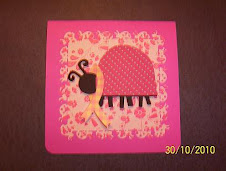
I had just found out that a friend had Breast Cancer, so I made her this card. I had an Imagine cartridge that I didn't think I'd need for a while because of the designs on it (kinda babyish and I don't have any DGC yet), so it just sat there, unopened --- until now! I found the cutest ladybug on it. 

I used Hey Diddle Diddle for the ladybug and Autumn Celebrations for the Cancer ribbon. Her hat is from the Kate's ABC's cart. 
 

Also used the MS ladybug Punch Around the Page. 


Cricut Circle Challenge #5

1.    Make a Halloween or Autumn themed mini-book, any style, any size, and any length you like. Use Black, Orange, Grey, Purple and White colours, some sparkle, and stamping. It could be a brag book, a costume book, autumn colours book, a prank book, a recipe book, anything you like within the theme.

I used each and every colour mentioned: black, grey, purple, orange, and white. Threw in some Cricut green, too. This is a brag book of my li’l Bailey in his Halloween costumes.  J

I mainly used the Horizontal Mini Album on p. 14 but added other pages from other carts.


Cricut Circle Challenge #4

1.    Create a project for Christmas without using any green, red or pure white in the project. [Off whites like a beige can be used.]

Here's my interpretation of a non-Christmasy coloured card.  

Whoever is the recipient of this card and will probably ask: "a 
pink reindeer?????" ---- I'll tell them that "Susan made me do it!!!"  LOL


Cricut Circle Challenge #3

1.    Create a home decor project using chipboard and Cricut cut flowers. This can be anything, a picture frame, a photo box or maybe a fridge magnet!

I made this li’l 3D owl a while back, using the Noah's ABC's cart. but, for this challenge, I decided to add some flowers to her. The flowers are from the Sophie cart.


Cricut Circle Challenge #2

1.     Create a fall banner. This could appear on the wall, card, scrapbook page or anything else you can dream up. One rule...it has to be fall themed. 

Here's my Fall "Giving Thanks" banner.  I used the following carts:-

Cornucopia --- Autumn Celebrations
Giving --- Create a Critter 2
Letters --- Imagine Country Carnival


Cricut Circle Challenge #1

      Post an image or picture for your inspiration for the item that you would like to make.

I found a stamp idea on a stamp site. It’s a. . . ladybug, of course.  J

 The first pic, is the stamp. The second one is my re-creation of same. It doesn't look exactly like the stamp, but the concept is very similar. 


Cricut Circle Challenges

The Cricut Circle Message Board had some crafting challenges, so I partook.  Here are my entries and the criteria for each challenge.  I’ll post them separately.  J


Friday, August 23, 2013

Updated Cricut Cartridge CheckList --- August 23, 2013

Hiya!  It was brought to my attention by someone who was "on the ball" that the Cricut Cartridge:- "Heirloom", was missing from my list.  :-(

If you're not concerned about the Cricut Imagine tab, you don't need to print off this updated list but, if you are, here's the updated CheckList-


This is the cartridge in question:-
Sorry for my blunder.    :-(

Hope you're enjoying this CheckList.  It's saved "my bacon" a lot of times, in that I know which cartridges I own and don't end up buying duplicates.  J


Monday, August 19, 2013

Latest Cricut Cartridge Check List – August 2013

Hiya.


Provocraft released  a whole slew of new cartridges :-


As you’ll notice, the packaging is different and it’s a lot smaller.  Reason being there are no more overlays in these cartridges.  The handbook is just a shadow of its previous self.  Here’s an example of what one looks like:-

You need to purchase a "universal overlay" to be used w/ these new cartridges.  It looks like this:-


I’m finding these new cartridges really difficult to determine which category they should go into.  I’ve put them all in the main Cricut list; however, the Home Décor Vinyl  one is in the Projects list.


·           Cricut® Charmed
·        Cricut® Create a Friend
·        Cricut® Creative Holiday Cards
·        Cricut® CTMH – Artbooking
·        Cricut® Home Décor Vinyl  Wall Art
·        Cricut® Home for the Holiday (Fall & Winter)
·        Cricut® Simple Holiday Cards
·        Cricut® Something to Remember
          Cricut® Winter Wonderland  – Anna Griffin

If I have missed any, please let me know and I will update my Checklist.

Thanks!

Here's my latest checklist:-
Just to remind you that, when you click on the Cartridge name in the CheckList you downloaded, it will link directly to the Cricut website, whereby you can see more info about the cartridge(s).

For newbies to my Cartridge Checklist, here's what it looks like:-
Enjoy!


Saturday, June 8, 2013

Latest Cricut Cartridge CheckList – June 2013

Hiya.


W/ the release of the new cartridge, Cricut® Chalkboard Fonts, I have updated my Cricut Cartridge CheckList.

Here it is:-

Just to remind you that, when you click on the Cartridge name in the CheckList you downloaded, it will link directly to the Cricut website, whereby you can see more info about the cartridge(s).

For newbies to my Cartridge Checklist, here's what it looks like:-


Enjoy!


FeedJit Live Traffic Feed

Thank you for visiting ladybug

Thank you for visiting ladybug

Birdie thank you

Birdie thank you