owl

Background Image - Ladybug

Follow Me Frame

Follow Me Frame

More to see

More to see

Translation Button

Welcome ladybug

Welcome ladybug

Thanks for stopping by

Thanks for stopping by. Hope you enjoy your stay!

I've noticed that I have visitors from all over the world. To make your stay more enjoyable, I have added a "translator" for you.


Saturday, December 1, 2012

Mother’s 95th Birthday Card


My mother turns 95 today!  Unreal, eh?  She still bowls and hubby & I took a homemade cake to the bowling alley for her bowling buddies to help her celebrate.  She was totally surprised.

We're going to celebrate, as a family, tonite.   Another surprise for her. 

I made her this fun card.   J


Inside:-

Tools/Items:-

Cricut Imagine
Cricut Imagine Cartridge – Yummy (cake)
Cricut Cartridges – see below
Cardstock -- white (for the Imagine)
Glue – ATG; Zig Two-Way
Stickles -- Yellow (no name)
Rhinestones
Popdots

Cricut Cartridges:
Sweet Treats – 9 and 5 w/ candles
Paper Lace – Happy Birthday

Created the base card using the shape card technique I figured out a while back.  (I’ll post that tomorrow.)  Cut the cake (Image 6) at 7”, from the Imagine Yummy cartridge.   Cut the image again but this time flipping it, so the flipped image became the back of the card.  Love this new technique!

The 9 and 5 w/ the candles (cut at 1.8”) are from the Sweet Treats cartridge.  The “Happy Birthday” sentiment is from the Paper Lace cartridge and is cut at 1.5”.

Stickled the candles and rhinestoned the cake.  J


Thursday, November 29, 2012

Hubby’s Birthday Card


Made hubby a fun card for his birthday, this year.

Inside:- 

 Sorry for the blurriness inside.  It says: "Happy Birthday, you old buzzard!"  J

Tools/Items:-
Cricut Imagine
Cricut Imagine Cartridges –
  Best Friends (background; branch)
  Yummy (party hat)
Cricut Cartridge – Life’s a Party (vulture/buzzard; card; Over the Hill; candles)
Cardstock -- white (for the Imagine)
Glue – ATG; Zig Two-Way
Stickles – Waterfall; Yellow (no name)
Google eye
Boa
Sentiment – computer-generated

Created the base card (at 7”), using the card feature from the Life’s a Party cartridge.  Used the background (5.5”) and branch (2.4”), from the Imagine Best Friends cartridge.  Placed the buzzard on the branch.

You may notice that the branch looks a li’l bit different from the picture in the handbook.  I actually cut away one of the small branches from the top and re-attached it to the bottom of the main branch.  Otherwise, the buzzard, where it was positioned, would’ve been hiding that li’l branch.

Put a party hat, from the Yummy cartridge, on the buzzard, adding a pink boa around its neck. 

The inside of the card was created using the “Over the Hill” insert, cut at 4.4”.  I found you couldn’t use the same ratio for the layered candles, so cut that at 4.1”.

Utilizing CCR (just for designing --- I don’t ever cut from it), I was able to figure out what size the party hat needed to be.  Cut it at 1.8”.  The buzzard is cut at 2.3”.

It was a fun card to create.  Just hope hubby finds the “fun” in it.  LOL  J


Sunday, November 25, 2012

Show off your craft space

I thought I would try something a li'l different on this post.  I think you'll all love it.  J

When I visit other crafters' blogs, I especially love looking at what their craftroom looks like.  One can get so many great ideas.  So, I thought why not have this info in ONE SPOT --- here on my blog.  How fun would that be, eh?   All one would need to do, when visiting my blog, is click on someone else's blog and you're off visiting someone else.  J

Sooooo, please link up your blog, via "Linky" below and post a picture/link of your craft space. 

I'll start off, by showing some pix of my craftroom.  


I just linked mine, to start off.  J


Now, it's your turn:-

Thursday, November 1, 2012

New Cricut Cartridge

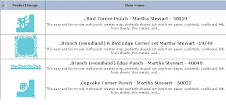
Provocraft announced a new cartridge, which is exclusive to Creative Memories:-

Holiday Frames & Tags 

Here are the other ones that you can find on their website:-

Click on the pix to enlarge.  


Wednesday, October 31, 2012

Happy Halloween


Witchy, Cricut and li'l Bailey all hope you have a happy and safe one!!!


Happy Birthday Halloween card


I created this card for my Mother-in-Law, whose birthday is on Halloween.

Inside:- 


Tools/Items:-
Cricut Imagine
Cricut Cartridge – A Frightful Affair
Cardstock -- white (for the Imagine & card base); orange (card layer)
Glue – ATG; Zig Two-Way
Martha Stewart Punch Around the Page -- Spider Web
Martha Stewart Deep Edge Punch -- Pumpkins
Stickles -- Holly
Glitter Tape
Pop Dots


Card base is 5” x 7”.

Cut and print, w/ the Cricut Imagine, using “A Frightful Affair” cartridge:-

p. 38 of the handbook
-- for the skin tone, I used RGB code:- 255-220-177
Layer – used black

Cut the witch at 4”, and the layers accordingly.  Adhered together.

Using orange cardstock, used the Martha Stewart “cobweb” Punch Around the Page

Adhered a background paper and added some Glitter Tape on the sides.

Attached the witch, using popdots.  Glittered the hat brim, the li’l rat, tops of shoes, and top of cauldron.

Computer-generated “Stirring up some. . .” using “Halloween Spider” font.

Inside of the card:

Using the Martha Stewart Pumpkin Deep Edge Border punch, created a border of 5 pumpkins.

Computer-generated the word clouds, as well as the “WISHES” sentiment.  Punched the edges with the cobweb corner punch.


Sunday, October 28, 2012

Latest Cricut Cartridge CheckList – October 28, 2012


Hiya.


Firstly, I am so sorry that it took so long for me to update my Cricut Cartridge Checklist.  With the disappearance of the Cricut Blog, I’ve been lost as to which new cartridges have been announced.  Some apparently showed up in shops even before they were announced.  Then, while some were announced, others weren’t.
Then, there was the elusive "Folk Art Festival."  I couldn’t find it anywhere.  I now have it in my hot li’l hands, so I took a pic of it myself.  J
As far as I know, Provocraft released  17 new cartridges:- 
·        Cricut® Frame of Mind - projects
·        Cricut® Mini Books - projects
·        Cricut® Tablescapes – Fall & Winter -- events
·         
·        Cricut® Lite Children Around the World
·        Cricut® Lite Dino Play
·        Cricut® Lite Pirates & Mermaids
·        Cricut® Lite Playtime
·        Cricut® Lite Recess
·        Cricut® Lite Teddy Bear Parade
·        Cricut® Lite Trick or Treat
·         
·        Cricut Imagine™ Industrial Glow
·         
·        Cricut® Create a Critter 2
·        Cricut® December 25th - Seasonal
·        Cricut® Folk Art Festival
·        Cricut® Snow Folks - Seasonal
·        Cricut® Suburbia
·        Cricut® Team Spirit


Here's my latest checklist:-
 Just to remind you that, when you click on the Cartridge name in the CheckList you downloaded, it will link directly to the Cricut website, whereby you can see more info about the cartridge(s).
For newbies to my Cartridge Checklist, here's what it looks like:-

My Checklist consists of 5 different tabs in the Excel Spreadsheet (Workbook):-

·        Cricut carts
·        Cricut Events
·        Cricut Imagine
·        Cricut Lite
·        Cricut Projects

Please note:  this Checklist does not include the digital cartridges.  

Enjoy!


FeedJit Live Traffic Feed

Thank you for visiting ladybug

Thank you for visiting ladybug

Birdie thank you

Birdie thank you